The problem
Similar social assets showed inconsistent card width, vertical anchor, headline alignment, and optional mark placement.
 Design whitepaper
Cotality Placement QA
Built from a Cotality social-placement audit, this whitepaper captures how the Figma mirror, AE geometry, and live HTML QA tool became one review system.
01 Summary
I noticed concrete placement drift, turned the rules into a visible QA system, and built a practical handoff tool before my first interview.
Similar social assets showed inconsistent card width, vertical anchor, headline alignment, and optional mark placement.
The QA tool detects the visible card, compares it with format geometry, and renders a corrected version using the current spec.
Figma documents the visual system, AE provides motion geometry, and HTML validates the exported frame.
02 Source model
The live HTML tool is the operational placement spec for this case study. Figma records and explains the system so the design language remains inspectable.
| Layer | Role |
|---|---|
| HTML QA tool | Current validation surface and operational spec. |
| Figma Design file | Visual mirror, token map, reusable guide components, and example documentation. |
| AE rig | Original motion geometry and template defaults for placement. |
| Historical Bible | Reference context for where the placement rules began. |
03 Scope
The system intentionally covers IG and FB social placements only. Static carousel and YouTube landscape video need separate process rules.
9:16
1080 by 1920 vertical social video.
3:4
1080 by 1440 feed social video.
1:1
1080 by 1080 square social post.
04 Figma inventory
The Figma package reached phase 4 with pages, frames, component sets, variables, styles, accessibility notes, and production token sync.
Cover, Foundations, Social Formats, Guide Overlays, Placement Examples, and QA Tool Mapping.
Guide Label, Format Frame, QA Status Chip, and Guide Overlay.
05 Captures
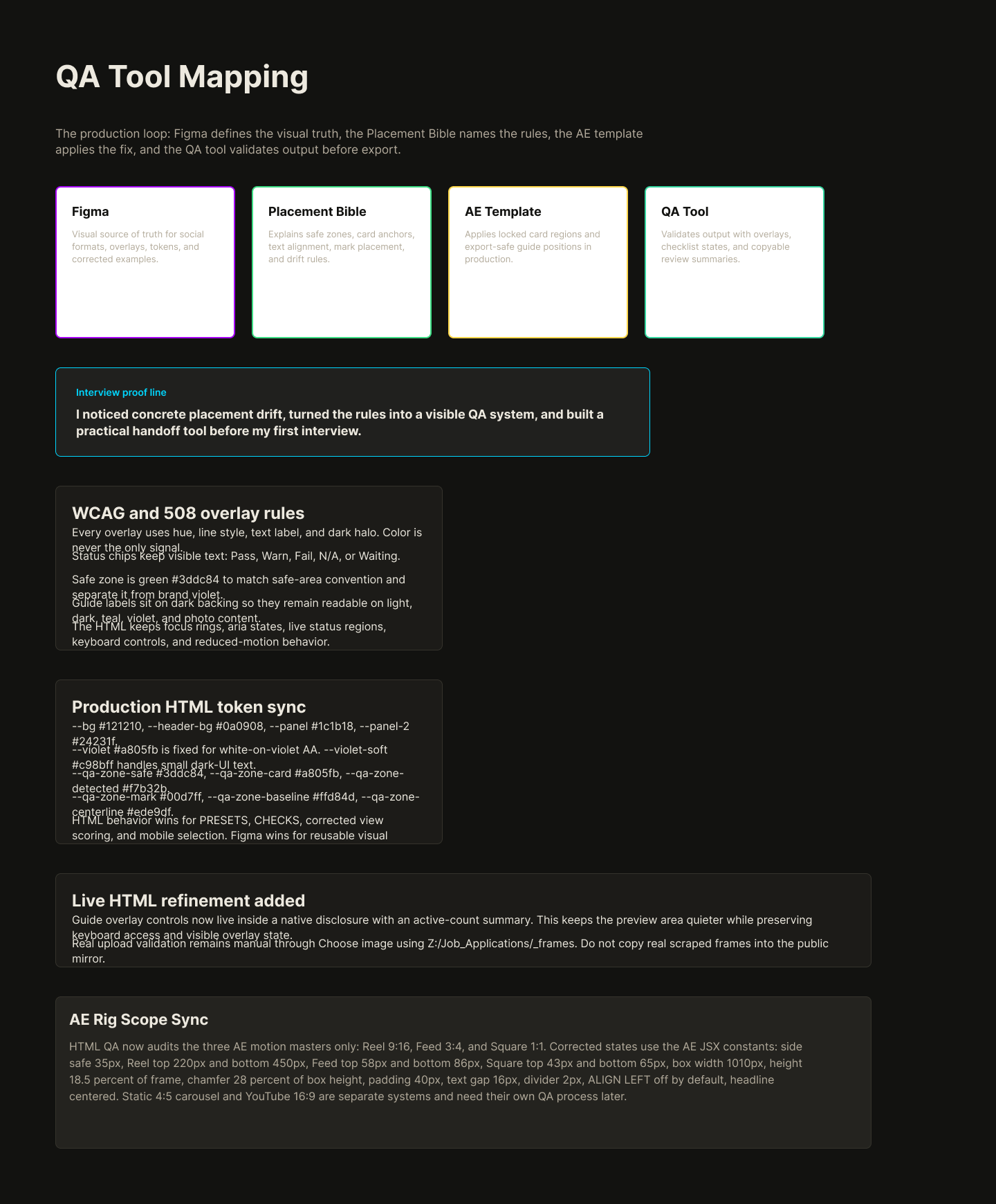
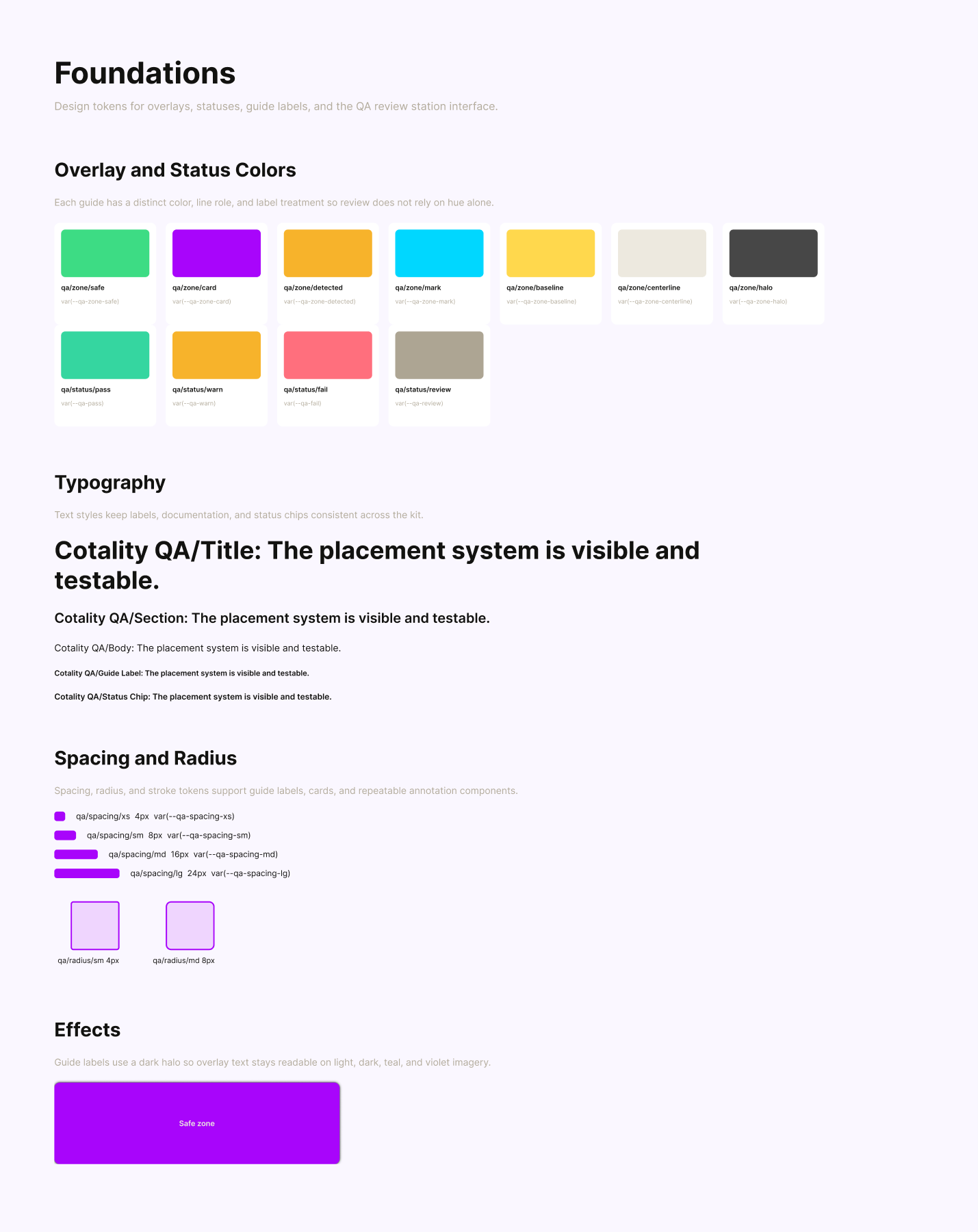
These are exported from the editable Figma Design file and stored with the page so the design rationale is visible outside Figma.

06 Tokens
The palette uses Cotality's public brand feel plus QA-specific overlay states. Every overlay survives without color alone.
07 Checklist
The checklist is computed from the loaded frame. It does not ask the reviewer to manually decide pass or fail.
| Review area | What the tool checks |
|---|---|
| Format | Image loaded, ratio detected, ratio matches an approved preset. |
| Placement | Card found, inside safe zone, within maximum width, and anchored to the preset. |
| Visual rules | Card carries white text, headline alignment follows the preset, optional mark sits in the approved zone. |
| Corrected view | Placement rows pass by construction because the tool renders the current standard. |
08 Accessibility
The tool treats accessibility as production behavior, not a late review pass.
The white divider and triangle on the violet placement card stay true to the AE rig. If a browser preview makes the divider read pink because of subpixel blending, the answer is a magnified detail crop, not thickening the production stroke.
09 Media pipeline
The QA page audits still frames captured from public Cotality social video outputs. These motion examples show how the same placement system carries through AE correction and AME compression.
The browser tool validates a loaded frame against the current placement spec: format ratio, detected card, safe zone, anchor, card width, text color, headline alignment, and optional mark zone.
The AEP uses the same visual rules to render corrected outputs. AME then compresses the final videos so the card edge, divider stroke, headline, and avatar detail stay clean on web playback.
Corrected 9:16 output for vertical social placement.
Corrected 3:4 output for feed placement.
Corrected 1:1 output for square social placement.
The social resize outputs are an approximate stress pass, not an exact Instagram or Facebook transcode. They resize each layout to a 720-wide H.264 version so the page can show how a disciplined AME master survives platform-style recompression.
Historical rule context remains available in the Placement Bible. The current operational check is the live QA tool.
10 Implementation map
The whitepaper stays grounded because every design concept maps to the live HTML implementation.
| Figma concept | HTML implementation |
|---|---|
| Format frames | PRESETS and PRESET_ORDER |
| Guide overlays | Overlay toggles, swatches, and canvas drawing helpers. |
| Corrected example | targetBox, renderCorrected, and drawCotalityCard |
| Checklist rows | CHECKS, STATE_LABEL, and scoring functions. |
| Accessibility behavior | ARIA labels, focus styles, reduced-motion branch, and no color-only states. |
11 Next
This artifact can now support the live QA tool in an interview, a portfolio case study, or a production handoff conversation.
Use the live tool to run the three built-in social samples, one real upload, and still frames from the corrected motion exports.
If YouTube or webinar layouts matter, write a separate landscape video bible instead of folding it into this system.
When HTML, AE, or AME settings change, update Figma and this whitepaper so the system remains aligned.